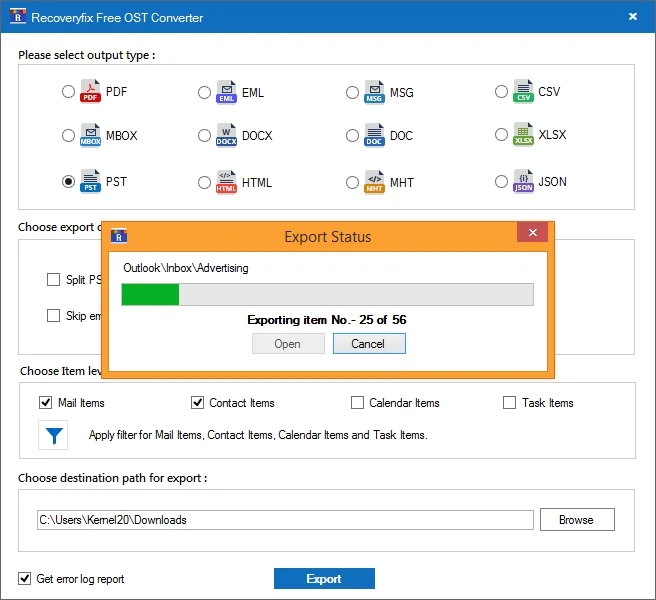
Steps to Convert OST Files to PST
Here is a detailed process that explains how to use Free OST Converter for a simplified conversion of OST files to PST:
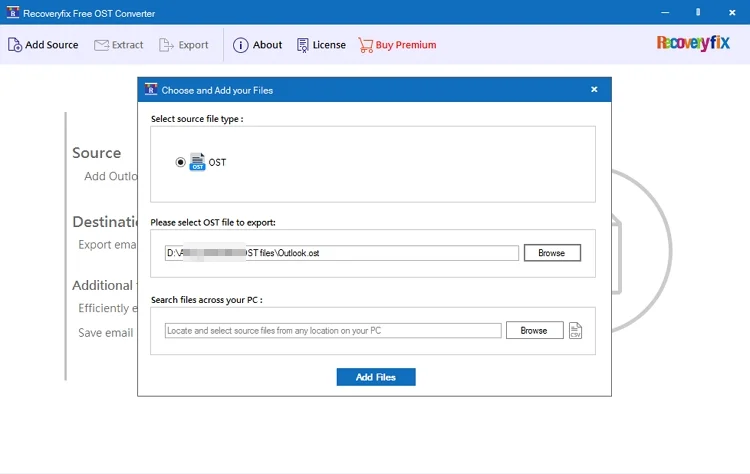
Step 1: Download free OST to PST Converter, then open it and click on Add Source.
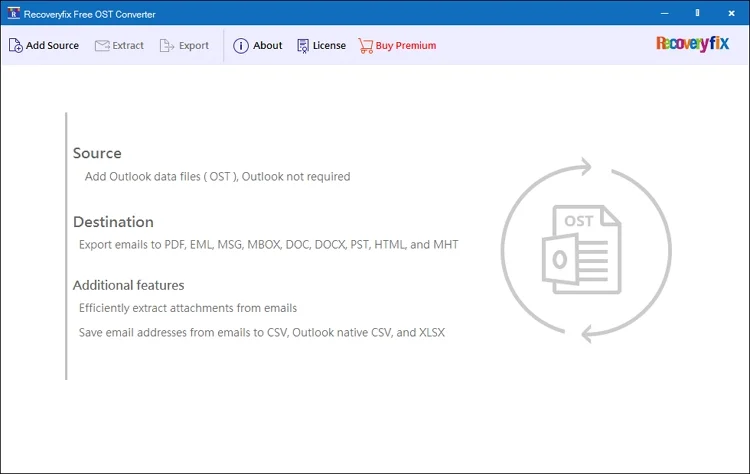
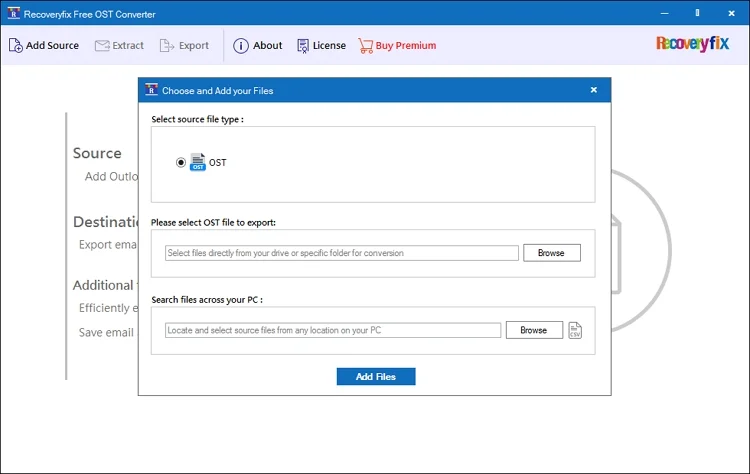
Step 2: Click Browse to select the OST files or search for the OST files across your PC.
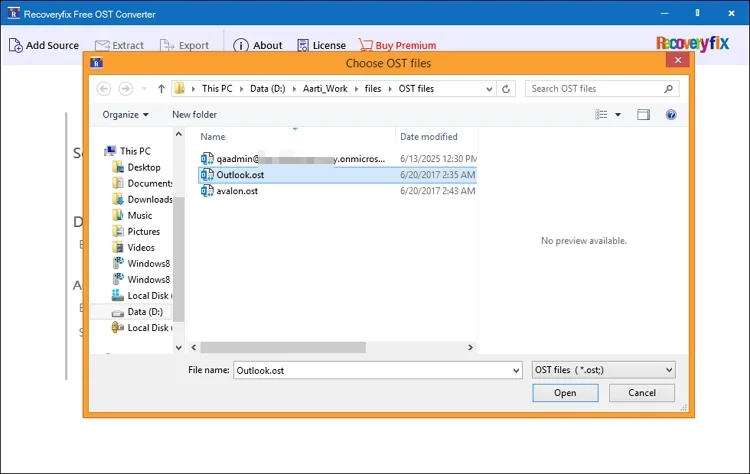
Step 3: Select the source OST and tap the Open button to open OST file in the tool.
Step 4: Click Add files to list the mailbox folders in a tree-like structure within the left pane.
Step 5: Tap on any folder to view the list of all the emails, and then go to any email to preview the email message.
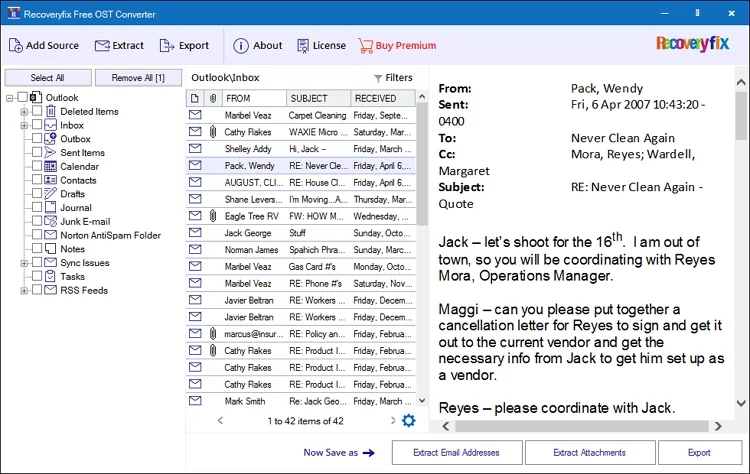
- Extract Email Address – Use this option to extract email addresses from the OST file.
- Extract Attachments – Select this option to extract attachments from the OST file.
- Export – Choose this option to export the OST file to PST.
Finally, select Export, as our primary goal is to export the OST file to PST.
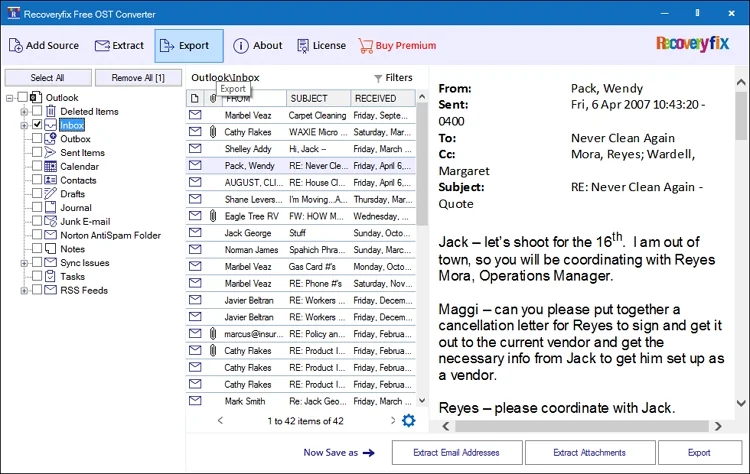
Step 6: Mark the checkbox next to the folder to select it, and then go to the Export option at the top.
Step 7: Select PST as the output format and adjust the file export options from Split PST After and Skip empty folders.
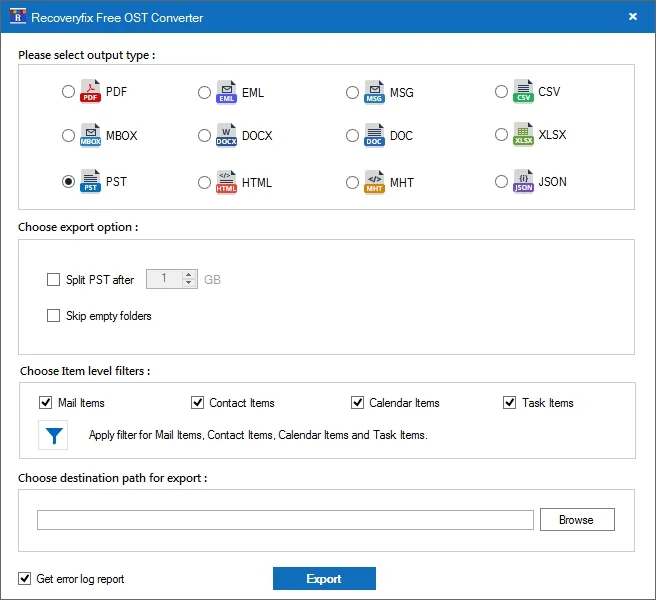
Step 8: Apply the Item type filters for granular OST mailbox item conversion.
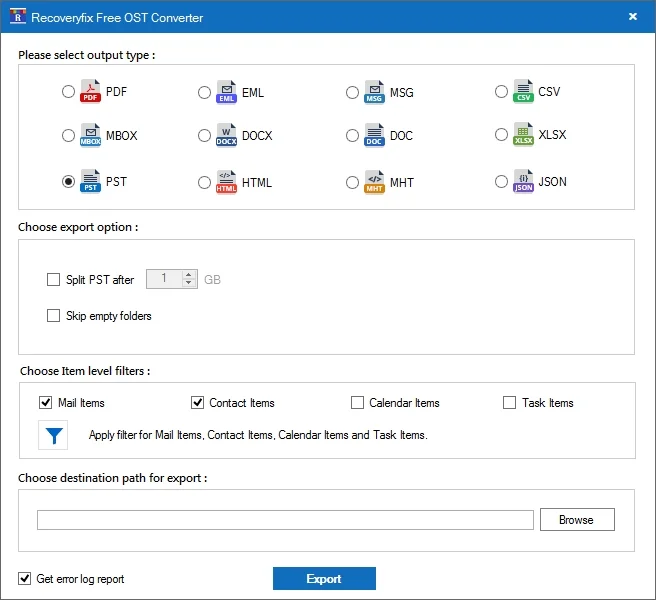
Step 9: Click on Browse to enter the location where you want to save the output PST file.
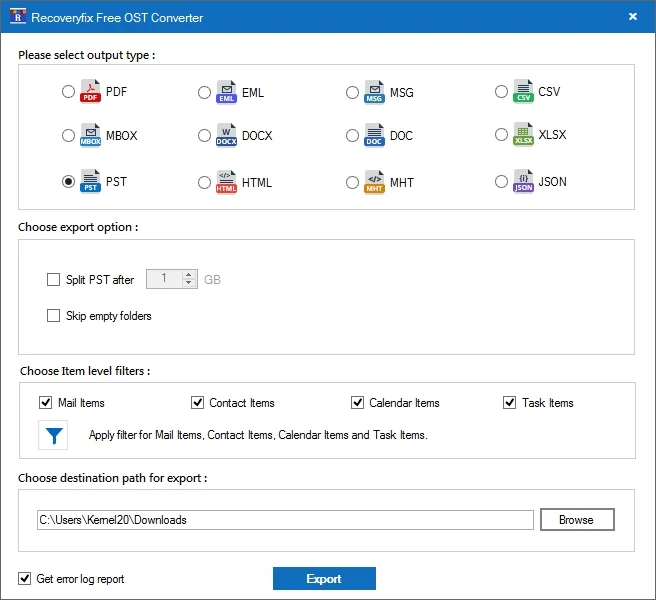
Step 10: Select “Get error log report” and click Export the conversion of OST file.
Wait till the export process is complete. Click Done to finish, or click Open to go to the saved PST file location.